
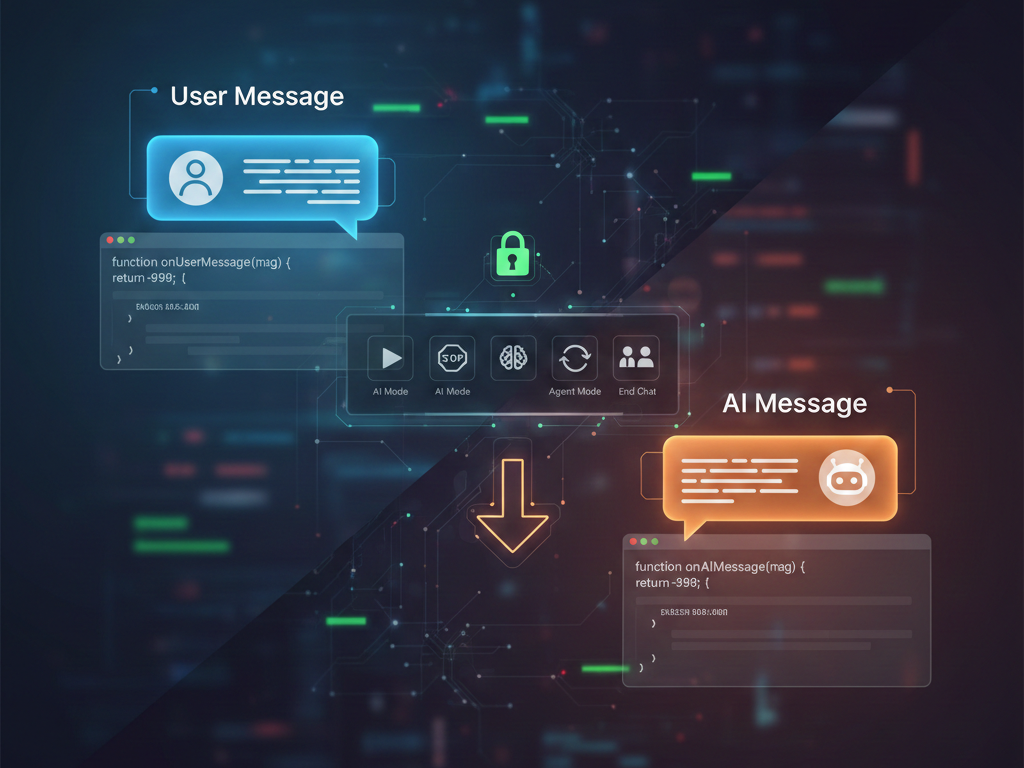
Take full control of your AI interactions with Chat4Us-Creator’s advanced JavaScript scripting features. In the world of automated customer service, flexibility is everything. Whether you need to filter inappropriate content, trigger custom workflows based on keywords, or seamlessly hand over a conversation to a human agent, our global scripting engine gives you the power to monitor and moderate every single message in real-time.
The Power of Real-Time Monitoring
While standard Q/A flows and AI models are powerful, they sometimes need a “human-in-the-loop” logic to handle edge cases. Chat4Us-Creator introduces two core events that act as a bridge between your users and the AI:
onUserMessage(msg): Triggered the moment a human user sends a message.onAIMessage(msg): Triggered the moment your AI model generates a response.
By tapping into these events, you aren’t just a spectator; you are the architect of the conversation flow.
How to Access the Global Script Editor
Ready to start coding? It’s simple:
- Open your RIA/Chat flow editor.
- Right-click on any empty area of the canvas.
- Choose Settings.
- Navigate to the Script (global) tab.
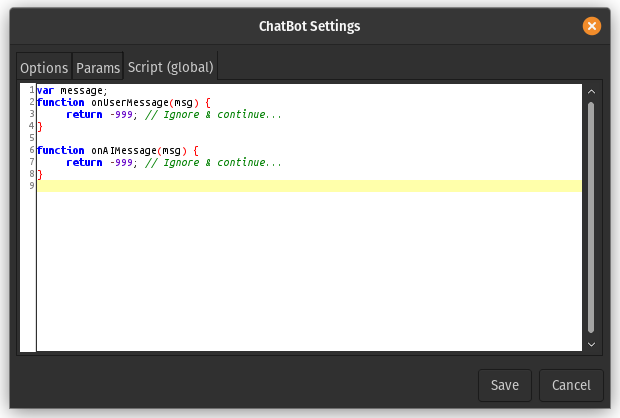
You will see a default template ready for your custom logic:
JavaScript
var message;
function onUserMessage(msg) {
    message = msg; // Access the user message
    return -999;   // Ignore & continue...
}

function onAIMessage(msg) {
    message = msg; // Access the AI message
    return -999;   // Ignore & continue...
}
The Bahia Palace chatbot example uses a simple, easy-to-follow code to scan user messages for keywords like connect, agent or book. When detected, it displays a message offering the option to switch to a human agent for potential bookings, payments or other situations that may require human assistance. Human assistance is made through the Chat4Us-Agent messenger app.
Control the Flow: Understanding Return Values
The true magic lies in what your script returns. Depending on the logic you write (e.g., searching for keywords like “help,” “buy,” or “offensive word”), you can force the chatbot to change its behavior instantly:
>=1: Jump to a specific Node ID (great for moving users to a specific checkout or FAQ node).0: Repeat the current node action.-1: End the chat immediately.-2: Restart the chatbot from the beginning.-3: Force switch to AI Mode.-4: Force switch to Agent Mode (Human-to-Human Messenger).<-4: NOP (No action/Continue as normal).
Practical Use Cases
- Chatbot Moderation: Use
onUserMessageto scan for blacklisted words. If found, return-1to terminate the session or move to a “Warning” node. - Lead Capture: If a user mentions “pricing” or “demo,” use the script to return
-4and immediately alert a human agent to take over the sale. - AI Quality Control: Use
onAIMessageto check if the AI’s response is too long or contains specific phrases, then redirect it before the user ever sees it.
Take Your Chatbots Further
Chat4Us-Creator is designed to be “No-Code” friendly, but with JavaScript scripting, it becomes a limitlessly extensible platform for professional developers.
In a near future we plan to enhance the chatbot moderation-related scripting library by incorporating specialized functions designed to analyze messages from users and LLMs against predefined keywords or key phrases. This extension aims to improve the detection and handling of relevant content, ensuring more efficient and accurate moderation processes.
For a deeper dive into the full Scripting API and more advanced features, visit our official User Guide.
Happy Scripting!