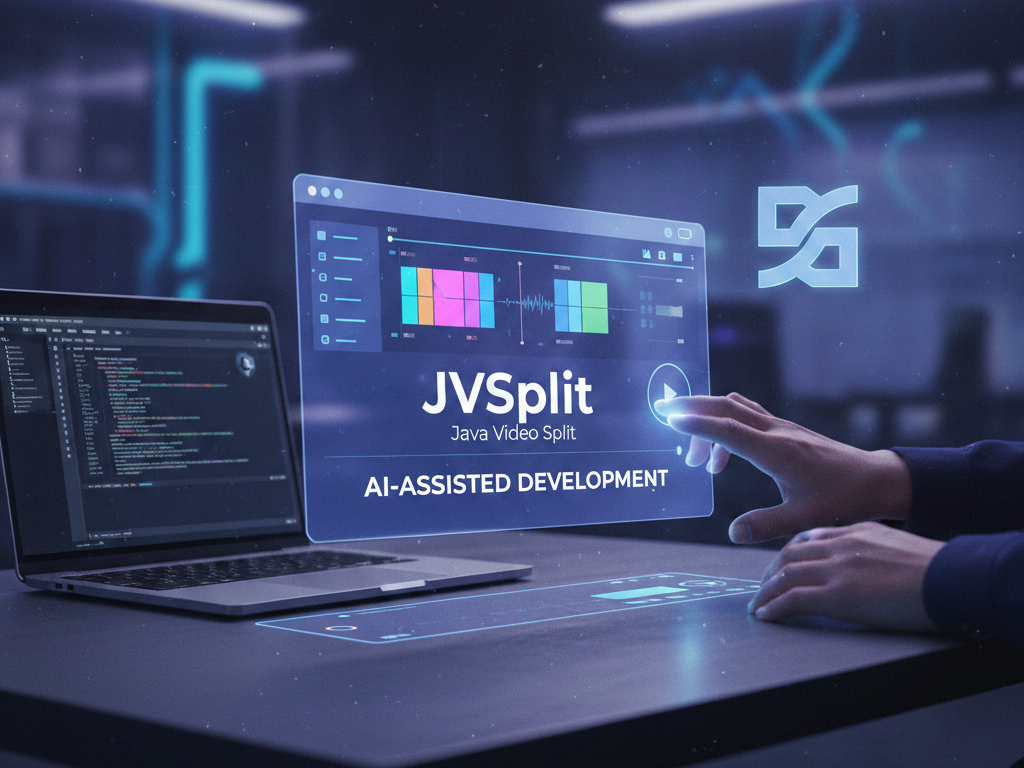
In my ongoing journey to master AI, I recently set myself a challenge: Could I develop a fully functional Java application without manually writing the code? I’m excited to share that the result, JVSplit (Java Video Split), is not only functional but, in many ways, outperforms several free alternatives I’ve tested on the Microsoft Store.
The Vision: JVSplit
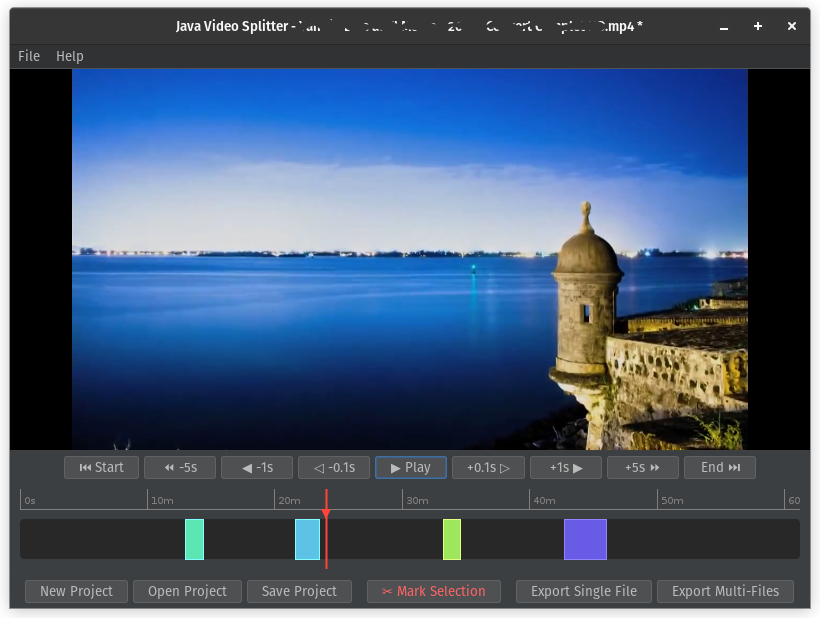
The goal was clear: create a tool that allows users to navigate long videos, mark specific segments, and export them. The twist? Users should have the flexibility to either join those segments into a single file or export them individually.
Phase 1: The Blueprint
I started by using Gemini Pro as a lead architect. Before a single line of code was generated, we discussed:
- Project Structure: Organizing the logic for scalability.
- The Tech Stack: Deciding on the best libraries and external tools (like VLCJ for playback and FFmpeg for processing) to ensure the app remained lightweight yet powerful.
Phase 2: Feature Engineering
Precision is everything in video editing. We worked through the logic of features that make or break an editor:
- Frame-Accurate Navigation: Implementing controls to jump +/- 5, 1, and even 0.1 seconds.
- Project Management: Building the “Create/Open/Save” workflow so users don’t lose their progress.
- The Timeline: Designing a custom UI component to manage segments visually.
Phase 3: The Iterative Build
This was the most rewarding part of the journey. Working within the Eclipse IDE, I acted as the “Integrator.” Gemini generated the source code for various modules, and I meticulously added them to the project, running the app at every stage to verify the behavior.
Instead of mindlessly copying, I focused on the logical flow. When the code was “complete,” the real work began: debugging.
Phase 4: Solving the “Hard” Problems
Even with AI, software development isn’t “magic.” We encountered classic engineering hurdles:
- Race Conditions: Handling multiple threads to ensure the video engine and the UI didn’t clash.
- UI Synchronization: Ensuring the timeline and the video player stayed perfectly in sync.
- Data Integrity: Adding safety checks to prevent users from accidentally overwriting their files.
By iterating on these bugs with the AI, I didn’t just fix the app—I deepened my understanding of how these complex systems interact.
The Verdict
The final version of JVSplit is a testament to what is possible when you combine human intent with AI capabilities. By focusing on prompt engineering, project structure, and rigorous testing, I was able to build a desktop tool that is stable, precise, and genuinely useful. JVSplit-Source.zip (48.2KB)
This project proved that the “No Code” path in Java isn’t about the absence of code; it’s about the presence of better communication between the developer’s vision and the AI’s execution.
Appendix: JVSplit Technical Specifications
To provide a clearer picture of the architecture behind the app, here are the core technical requirements and features we implemented:
Core Tech Stack
- Language & Framework: Java 21+ using the Swing library for a native desktop UI.
- IDE: Developed and compiled within the Eclipse IDE.
- Media Engine: Integrated VLCJ (v4.x) to handle high-performance video playback and frame seeking.
- Processing Power: Utilizes FFmpeg as the backend engine for all “lossless” cutting and merging operations.
Key Functional Features
- High-Precision Seeking: Dedicated controls for micro-adjustments at 0.1s, 1s, and 5s intervals, essential for finding the exact frame to cut.
- Segment Management: A custom-built Timeline Component that features:
- A visual “Ruler” for time orientation.
- Unique color-coded segments for easy identification.
- Context menus for quick actions (Set Start/End, Play Selection, Remove).
- Project Persistence: Full support for JSON-based project files, allowing users to save their workspace and return to it later.
- Smart Export Logic:
- Single File: Uses the FFmpeg concat demuxer to join parts without re-encoding.
- Multiple Files: Batch exports each marked segment as a standalone video.
- Safety Protocols: Integrated “File Overwrite” warnings and “Confirmation Dialogs” for segment removal to prevent accidental data loss.
Behind the Scenes
- Concurrency: Implemented background threading for FFmpeg tasks to ensure the UI remains responsive during the export process.
- Synchronization: Custom logic to bridge the communication between the VLCJ player state and the Swing Timeline UI.